 Owncast now supports custom plugins.
 Customize Your Owncast Site
Overview
Owncast includes a web interface for your video with built-in chat that is available once you start the server. It shows online/offline states, viewer counts, stream duration, your instance's description, images, links and more. You can just start using it without making any changes, but you'll likely want to update the content displayed on your page by visiting your server admin page.
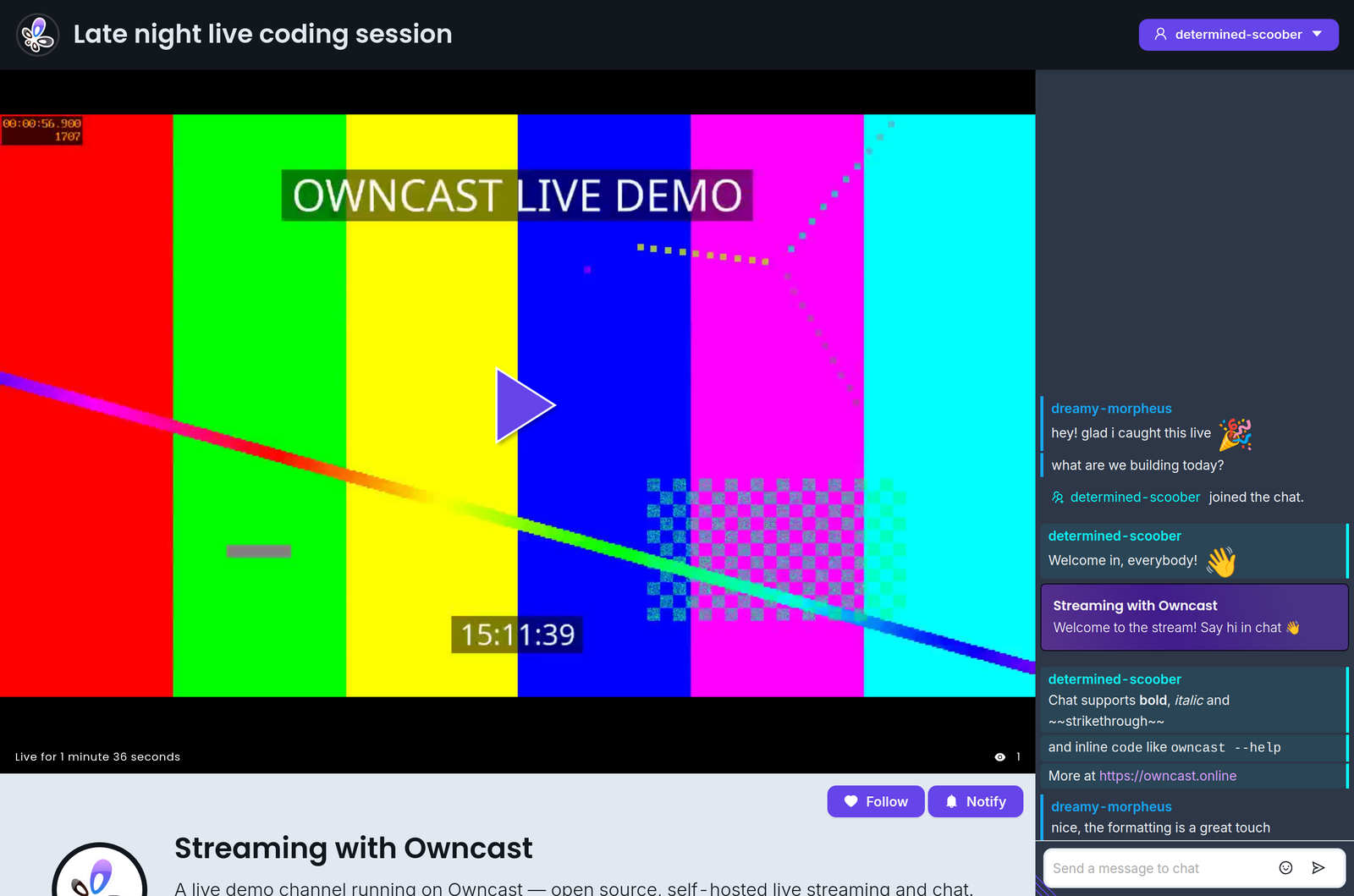
Additionally, the web interface was specifically built to be customizable by anybody comfortable tweaking colors and styles. No development environment is needed, just open the admin and start tweaking.
If you want to embed Owncast in your existing website, check out our documentation on embedding Owncast.
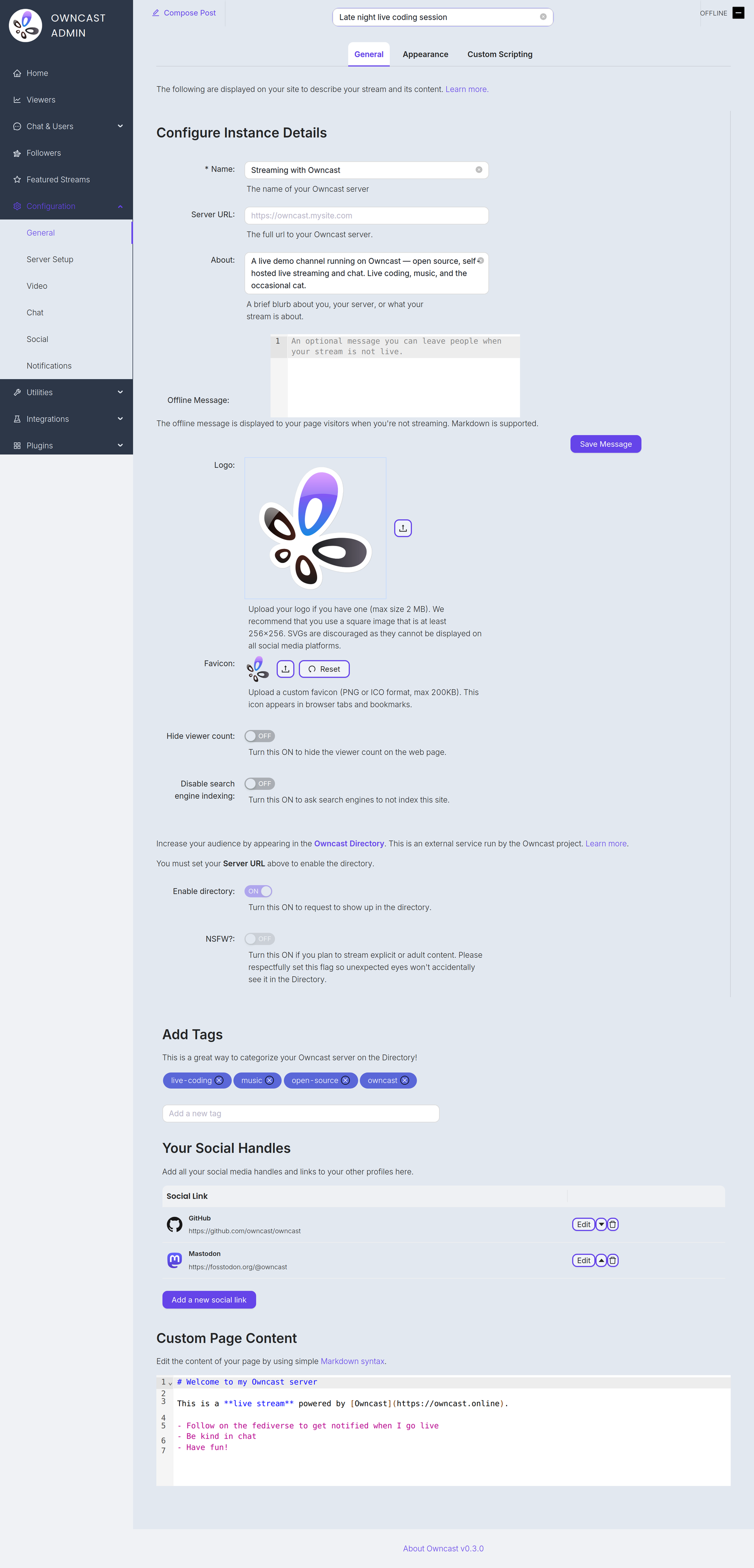
Below are some items you'll likely want to customize to update the content that displays on your page. You'll find all of them on the General settings page in the admin.
Name and About
By setting your name, About text and logo you can quickly update the contents of the website to reflect your stream. The Name field accepts up to 255 characters. The About field is a short blurb, up to 500 characters, about you, your server, or what your stream is about.
Server URL
The full public URL of your server, for example https://owncast.mysite.com. You must set it before you can enable the Owncast Directory listing or any of the live stream notifications.
Offline Message
An optional message, up to 2500 characters, shown to visitors when you're not streaming. Markdown is supported.
Logo
Upload your logo as a PNG, JPEG or GIF up to 2 MB. A square image of at least 256x256 works best. SVGs are discouraged as they can't be displayed on all social media platforms.
Favicon
Upload a custom favicon in PNG or ICO format, up to 200 KB. It appears in browser tabs and bookmarks.
Tags
By setting tags you're showing potential viewers what categories of content you typically stream.
External social links
You can add links to your profiles on other sites by adding them in the admin.
Web page content
The body of your page content can be customized in your admin. Use standard Markdown syntax to add links, images, and more.
Hide viewer count
Turn this on to hide the viewer count on your web page.
Disable search engine indexing
Turn this on to ask search engines not to index your site.
Enable directory
Request a listing in the Owncast Directory, an external service run by the Owncast project that helps people find streams. Requires the Server URL to be set. Read more about the directory.
NSFW
If you stream explicit or adult content, turn this on so unexpected eyes won't accidentally see it in the directory. Like the directory toggle, it requires the Server URL to be set.
Improve this page
See something missing or incorrect? Edit this page and improve the documentation for everyone.

Related Documents
- Customizing colors and appearanceCustomize the appearance of your Owncast instance.
- Embed Owncast Into Your WebsiteYou can easily embed your chat or video into another site.
- Run Owncast as a Background ServiceSetup owncast to run as a system service, automatically starting when your server does.
- ChatHow to use the Owncast chat features.
- Web BrowsersWatch Owncast streams using the built-in web video player
- Add custom JavaScriptRun custom JavaScript on your Owncast web page.