 Owncast now supports custom plugins.
 Featured Streams
Featured streams let your server show a small directory of other Owncast streams. Visitors get a Featured tab on your main page listing the servers you feature, with each one's live or offline status. It gives people somewhere to go when you are not streaming and a way to find related streams.
Featuring is opt-in on both sides. You choose which servers to feature, and the other operator chooses whether to let you feature them. Two servers can feature each other, but each side approves the other independently.
Featured streams is a brand-new feature in Owncast 0.3.0. If you hit a bug or have a suggestion, please open an issue or chat live with the community.
Before you start
Featured streams runs over the same federation that powers Owncast's social features, so:
- Social features must be enabled on both your server and the one you want to feature.
- The other server must also be Owncast, on a recent enough version to support featured streams.
- It must be reachable over HTTPS on the standard port (443). A server published on a non-standard port cannot be featured.
Feature another stream
- In the admin sidebar, open Featured Streams.
- Click Feature Live Stream.
- Enter the address of the server you want to feature, for example
https://otherserver.example.com. - Save.
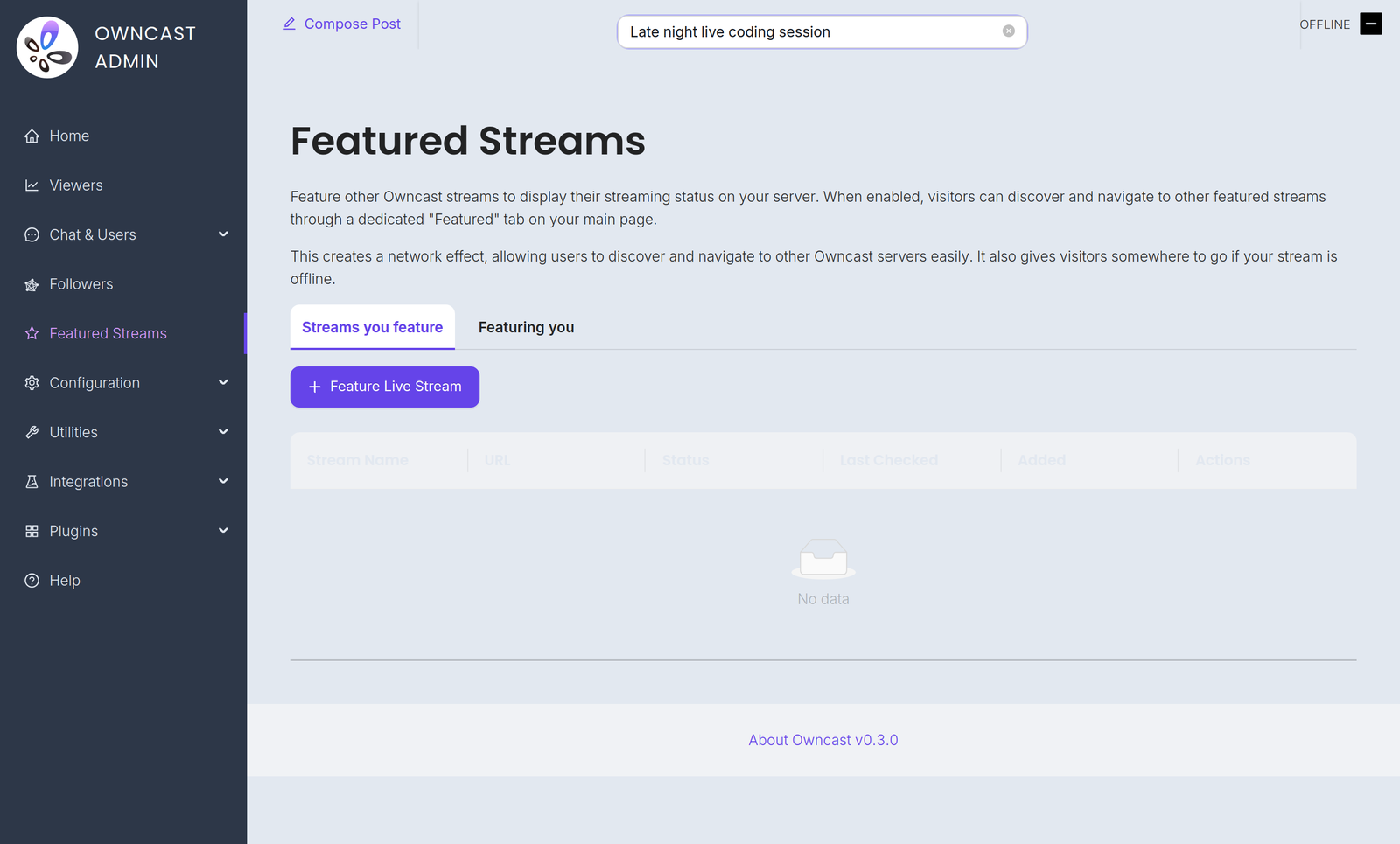
The server appears in your list right away with a Pending approval status, and it is not shown to your visitors yet. Featuring a server sends it a request, and that server's operator has to approve it before the entry goes live. This is what stops anyone from listing a server as featured without its consent.
Approve a request to feature you
When another server features you, a request shows up under Featured Streams in the admin. The Featured Streams item in the sidebar carries a badge with the number of requests waiting on you, so you notice them without going to look. Approve a request and that server may list you in its directory. Until you approve, the other server shows your entry as pending and keeps it hidden from its visitors.
Approving a request is separate from your regular followers. A server that features you does not appear in your Followers list or count.
You can see every directory currently featuring you, and remove any of them, under the Featuring you tab of the Followers admin. Removing one stops sending it your stream status, so your entry drops off that directory.
What your visitors see
Once a server you feature has approved the request, it shows up on the Featured tab of your main page:
- Live servers show a thumbnail of the current stream along with its title, and sort to the top.
- Offline servers show the server's logo.
- Every card shows the server name and its address and links out to that server so a visitor can go watch.
The tab refreshes about once a minute on its own, so a featured server going live or offline shows up without anyone reloading the page.
A server's status follows what is actually happening on it:
- It shows as live within about a minute of the stream starting.
- It returns to offline as soon as that stream ends.
- If a featured server disappears without ending its stream cleanly, because it crashed or lost connectivity, its entry falls back to offline after about ten minutes.
Stop featuring a stream
In Featured Streams, click Unfeature next to the server you no longer want to list. It is removed from your directory and your visitors stop seeing it.
Build your own directory
Featured streams is built on Owncast's ActivityPub support. If you would rather build your own directory or aggregator that tracks live Owncast servers instead of using the built-in Featured tab, see Building a directory of Owncast streams in the ActivityPub protocol reference.
For a complete, runnable example, see the owncast-directory-example repository. It is a small reference application that follows Owncast servers, tracks which ones are live, takes operator submissions, and serves a web page listing them. It is purely a proof of concept and not intended for production use, but it shows how to use the ActivityPub API to build a directory of Owncast streams.
Improve this page
See something missing or incorrect? Edit this page and improve the documentation for everyone.
 Gabe Kangas
Related Documents
- List Your Stream in the Owncast DirectoryThe Owncast Directory is a centralized list of streams for people to discover.
- Owncast Social FeaturesAllow people to follow your server, know when you go live, share and interact with your stream.
- The FediverseAllow people to follow your server, know when you go live, share and interact with your stream.
- ActivityPub & The Fediverse ProtocolA protocol-level reference for the ActivityPub activities Owncast sends and receives, so you can build a Fediverse application that interoperates with Owncast servers.