 Owncast now supports custom plugins.
Roku
Streaming device
rokuairplayofficial-appstreaming-boxtelevisionwatching
Owncasts for Roku
RecommendedUse the official Owncasts app to browse the Owncast directory directly on your Roku.
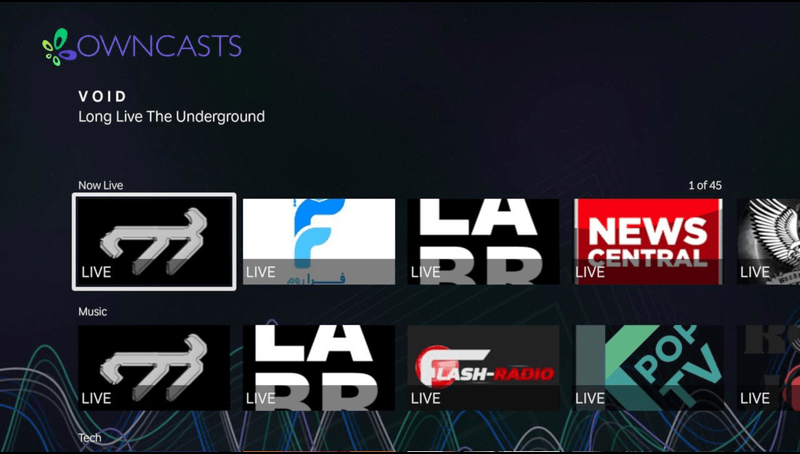
- Browse the Owncast directory directly on your Roku.
- Official app built for the Roku platform.
- Simple interface designed for TV remotes.
Show step-by-step instructions
- Install the Owncasts for Roku from the Roku Channel Store.
- Launch the application.
- Browse for the stream you wish to watch.
- Select a stream to start watching.

AirPlay to Roku
Stream from your iPhone or Mac to your AirPlay-compatible Roku device.
- Works with newer Roku devices that support AirPlay.
- Stream from iPhone, iPad, or Mac.
- No additional Roku apps required.
Show step-by-step instructions
- Open the Owncast stream you want to watch on your iPhone or Mac computer.
- Play the Owncast stream.
- Press the AirPlay button.
- Select your Roku device.
For more details, visit Apple's AirPlay documentation.
Improve this page
See something missing or incorrect? Edit this page and improve the documentation for everyone.
Contributors to this documentation

Related Documents
- Apple TVApple TV works best with Owncasts for tvOS, VLC, or AirPlay from iOS/macOS.
- iPhone & iPadWatch Owncast streams on iPhone and iPad using the native Owncasts app, Safari browser, or AirPlay to other devices.
- Amazon Fire TVWatch Owncast streams on Amazon Fire TV using VLC or other compatible apps.
- Watching on TVs and DevicesOverview of all supported devices and platforms for watching Owncast streams on televisions and streaming devices.
- KodiWatch Owncast streams on Kodi using the official Owncast plugin for directory browsing.
- Google TVWatch Owncast streams on Google TV using VLC or other compatible Android TV apps.