 Owncast now supports custom plugins.
Samsung Smart TVs
Smart TV
samsungsmart-tvtizentelevisionwatching
Built-in Internet Browser
Try Samsung's preinstalled Internet app to open an Owncast stream directly on the TV.
- Samsung ships a preinstalled browser app called Internet.
- Browser capability and video support vary by model and firmware.
- No guarantees of compatibility.
Show step-by-step instructions
- Press Home, move left in Smart Hub, select Media, then open the Internet app.
- Navigate to your Owncast server URL.
- Try to play the stream directly in the browser.
Note: TV browsers are limited compared with a phone or computer, so web video playback may not work reliably.
Screen Mirroring/Casting
Use screen mirroring from your phone or computer to display Owncast streams.

- Works with Samsung's Smart View app or built-in screen mirroring.
- Requires a compatible smartphone or computer.
- May introduce some latency.
Show step-by-step instructions
- Ensure your Samsung TV and device are on the same Wi-Fi network.
- On your phone or computer, open the Owncast stream.
- Use screen mirroring features:
- Android: Use Smart View or Screen Mirroring
- iOS: Use AirPlay (if supported by TV)
- Windows: Use Project/Cast to Device
- Select your Samsung TV from the list of available devices.
External Streaming Device
RecommendedConnect a dedicated streaming device to your Samsung TV for better Owncast compatibility.
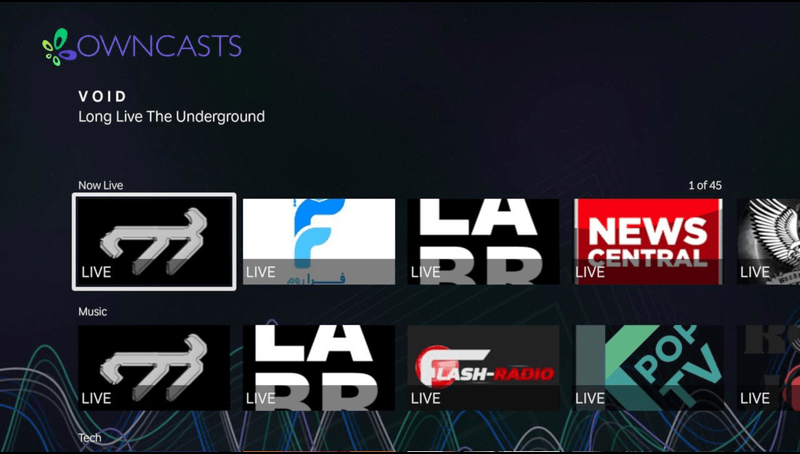
- Much more reliable than built-in Samsung TV apps.
- Wide variety of compatible apps and options.
- Better long-term support and updates.
Consider connecting one of these devices to your Samsung TV:
- Apple TV
- Roku
- Amazon Fire TV Stick
- Google Chromecast
- NVIDIA Shield TV
Then follow the instructions for your chosen streaming device.
Improve this page
See something missing or incorrect? Edit this page and improve the documentation for everyone.
Contributors to this documentation

Related Documents
- LG Smart TVs (WebOS)Watch Owncast streams on LG WebOS TVs using an IPTV playlist app or the built-in browser.
- Google TVWatch Owncast streams on Google TV using VLC or other compatible Android TV apps.
- Watching on TVs and DevicesOverview of all supported devices and platforms for watching Owncast streams on televisions and streaming devices.
- ChromecastCast Owncast streams to your Chromecast device directly from Chrome browser.
- RokuWatch Owncast streams on Roku using AirPlay or the official Owncasts app.
- Amazon Fire TVWatch Owncast streams on Amazon Fire TV using VLC or other compatible apps.